Your rules. Human sign-off. Every step logged.
What if it got done before you asked?
Your rules. Human sign-off. Every step logged.
Juba is Xhosa slang for the worker.
Juba watches the places you point it at: a mailbox, a calendar, a SharePoint library, a folder, your business systems. When something arrives, it picks it up without anyone on your team having to.
- Email arrives
- Juba reads it
- Checks your rules
- You approve
- Done, logged
It then does the work. It pulls what it needs from your systems, checks it against your written rules, and prepares the payment or drafts the reply. When a person has to decide, it asks them to approve or decline, with everything they need in front of them. We call this an ambient agent.
AI reads the documents, and your rules make the decision, so the same case gets the same answer each time. Every step is recorded, so when the board or an auditor asks how a decision was made, you can show them.
Your data stays in your systems
Context Bridge
Knows which of your systems holds what, and reads it live when an agent needs it. Nothing is copied into Juba.
Ultra Agents
Agents that can work together over minutes or days. They start on request, on a schedule, or when something arrives.
Hoya
Runs your process as rules and logs every decision. When a step needs judgement, it asks the right person.
Run it where it suits you
Hosted by us
There is nothing to install. It works with your Microsoft 365 mail, OneDrive and SharePoint.
On your server
Runs on your own server with its own database, inside your network. It goes online once to be commissioned; after that the licence can be renewed by file.
On Windows PCs
Runs processes on folders on the PC or in OneDrive, and can run AI models on the PC itself. Cloud AI goes through your Juba server, which holds the key.
Approve or decline from your phone
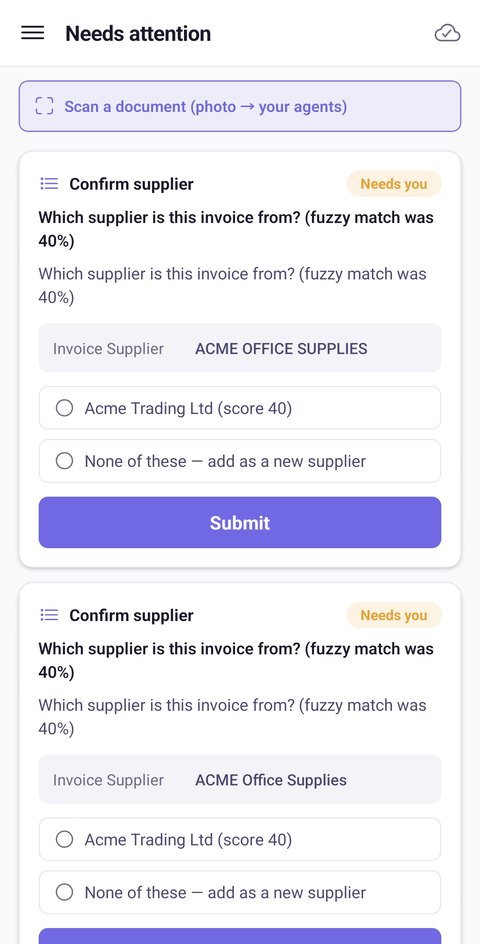
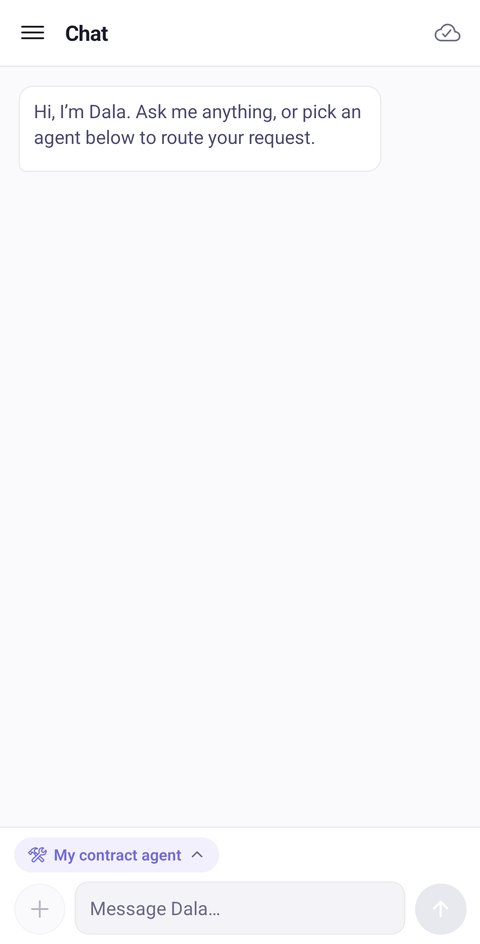
Questions that need you arrive in the Juba app under Needs attention. You pick an answer, tap Submit, and the case carries on. The app also lets you chat with your agents, or photograph a paper document such as a signed delivery note and send it to them.
Local AI on hardware you already own
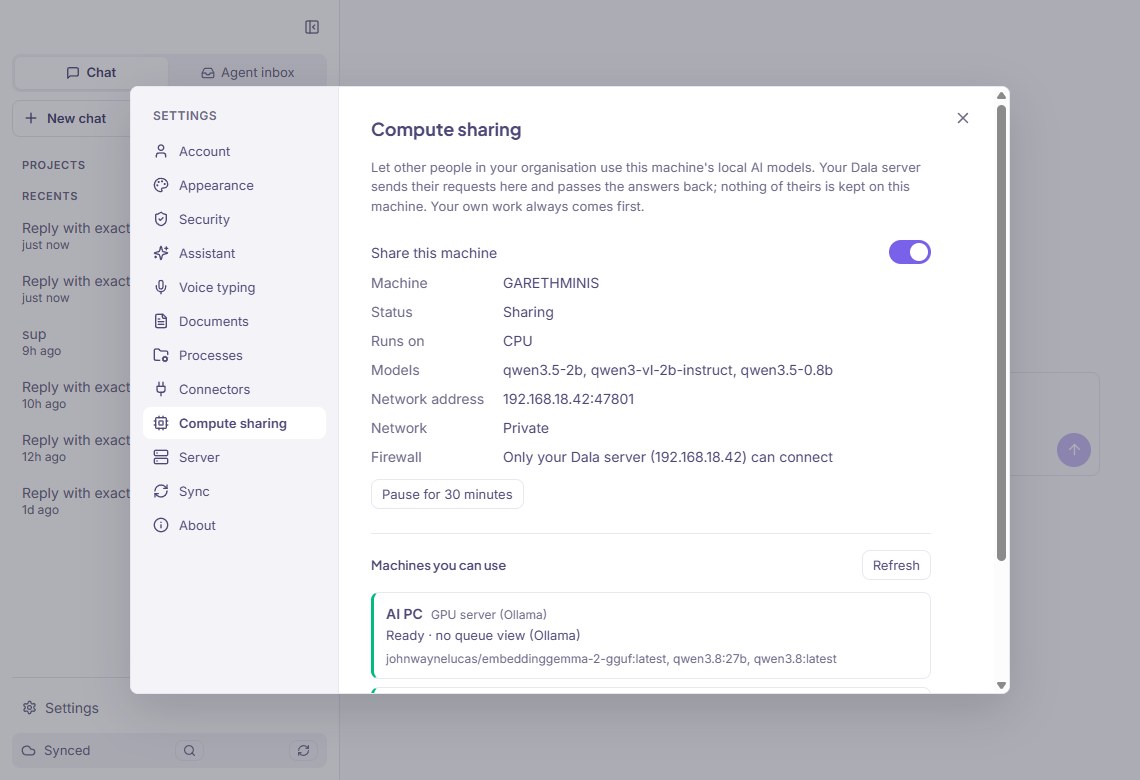
If your organisation has PCs with good graphics cards, or a GPU server, Juba can run AI models on them for everyone. Prompts, documents and answers then stay on your own network.
- You ask
- Your Juba server
- Shared PC or GPU
- Answer back
Where a model can run
- On your own PC. Juba Desktop runs the model on the machine, and the request never touches the network.
- On a colleague's PC that shares its models. Your Juba server sends the work there and brings the answer back.
- On a GPU server in your server room. You register it once, and your Juba server calls it directly.
Cloud models are still there when you want them. They go through your Juba server, so no AI provider key is stored on any PC.
What keeps it safe
- Sharing is off until an Owner switches it on. Each person decides whether their own PC shares, and an administrator can block any machine.
- PCs never connect to each other. A shared machine accepts only your Juba server, over an encrypted connection, and each request carries a signed ticket that expires after 5 minutes.
- The PC's owner always comes first. Sharing pauses while they are using the model, when the machine is on battery, or when it is short of memory.
- Each request is logged with who asked, which model and which machine answered. The text of the question and answer is not logged.
Paying a supplier invoice, start to finish
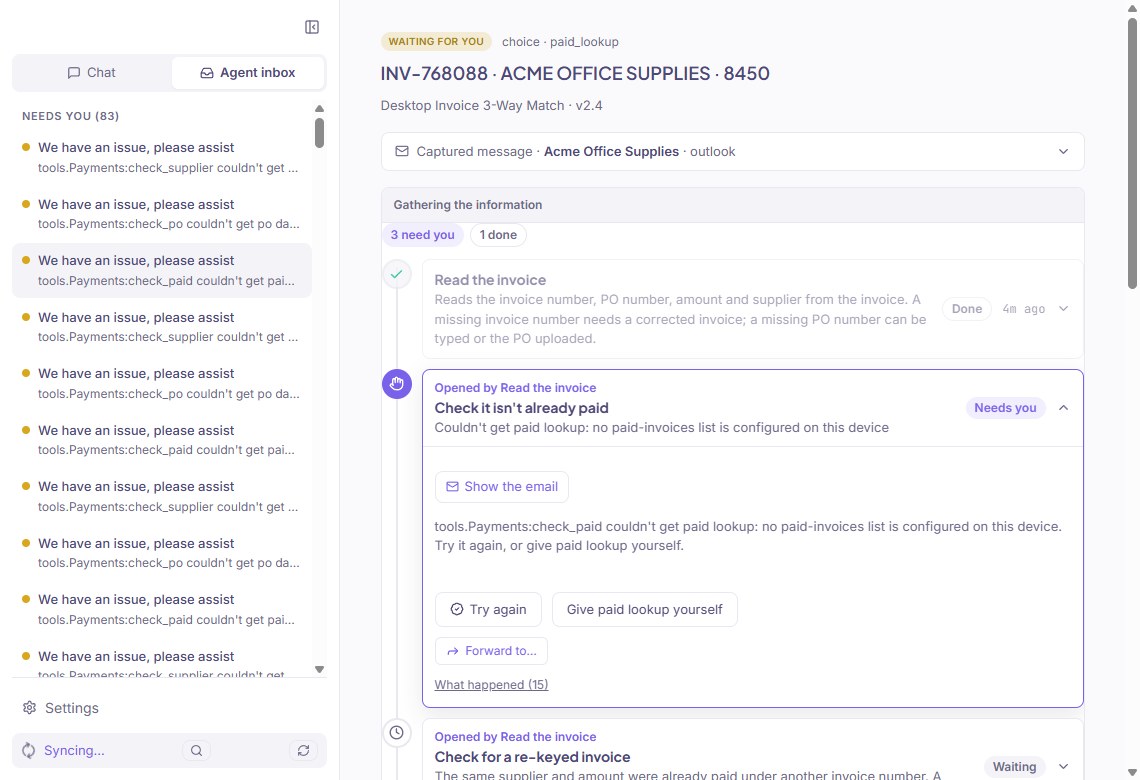
Before an invoice is paid, Juba checks it against the purchase order and the delivery note. Every check in the process runs on every invoice. If one can't run, for example because a list hasn't been set up, Juba asks a person rather than letting it through.
Read the invoice
Invoice number, PO number, amount and supplier, also from a scanned page.Check it hasn't been paid
If the same supplier and amount were paid under another invoice number, a person decides.Check the supplier is approved
A close but uncertain match goes to a person to pick. A supplier missing from your list is added in your own system first, and the invoice waits.Find the purchase order
If there isn't one, a person uploads it, approves without it, or rejects the invoice.Find the delivery note
If there isn't one, a person confirms whether the goods arrived.Compare the amount with the order
More than 5% over the order goes to Finance to approve or decline.
Example: an invoice 6% over its order
| Invoice INV-2291 from Karoo Pipe Supplies, received by email | R 48 760.00 |
| Not found among paid invoices | Passed |
| Supplier found on the approved list | Passed |
| Purchase order PO-10442 found | R 46 000.00 |
| Delivery note DN-7781 found | Passed |
| Invoice is 6.0% above the order, over the 5% limit | Sent to Finance |
The first five checks passed without anyone's help. Finance gets a single question showing the invoice, the order, the delivery note and the R 2 760 difference, and approves or declines it. The figures in this example are made up.
- Where does my data live?
- In your own systems. Juba reads it when it needs it and doesn't keep a copy.
- Is the AI making the decisions?
- AI reads the documents. Your rules decide, and a person signs off where you want one to.
- What about audits?
- Each case keeps a record of every check, what it found, and who answered.
- How long to go live?
- The first workflow takes days, not months.
See it work on your own documents before you commit.
Get in touch to set up a demonstration on your own documents.